Monday, 11 April 2016

Visual Arts, Spaceship Assignment

This homework was quite fun actually.


For Visual Arts we were tasked with doing a paint over drawing of a 3D model that we made. The only catch was that we had to make the model of a spaceship.

Okay so I didn't do the right thing and save my project as different files as I went though versions of it. But, but but but, I can tell you how I started it off.

First off I started drawing some crude spaceships on paper, these would serve as the basis for the main design.


The first thing I thought of was to make a space drawing with a desert planet as the main setting. I started scouring the internet for photos of the middle east from space. In the end I found a fantastic photo of the Red Sea from space.


After I found the photo I wanted I then went about making the model. For the ship design I decided to look at games such as Star Citizen for inspiration. One of the ships, that I loved the design of very much, was the main inspiration of the ship design. 
The Gladius, which honestly is my favorite fighter in the game, was chosen to be modeled off of.

Behold, the Gladius.

For the ship model I didn't go all out with detail, I mean this was a draw over task so detail in 3D modelling wasn't needed.
Most of my attention was focused on the back of the ship, as I wanted it to be viewed from behind in the concept art. 
As you can see from the back I tried to get the wings and fins to match the game model.
I also paid attention to the front of the ship, as I could use renders from different angles to add more ships to the photo. 

Look at that low polly spaceship.
Annnd after that I was done. Now to add it to the photo.

Okay so I saved over lots of my progress, so I'll have to just say what I did and you'll have to believe me. 

Explosions

So what I wanted to try and capture was a space battle of sorts happening over a planet. I mean this would be cool if I could pull it off. For the first thing I did I imported a render of the ship and then started drawing over it with the brush tool to give it a paint job. After that I then added the engine effect onto the back of the ship. 

As well as this I also imported another ship model that I made in my spare time, to act as a carrier ship or something that took heavy damage, and was causing wreckage to rain down on the planet below. 
Oh I also had to give the planet some detail so I could make it look like the ships were actually fighting over something. I mean this wasn't Homeworld. For this I added a city that I found on google onto the edge of the sea, and added smoke and fire effects to it.

More explosions and spaceships.

For the next iteration of the image I changed the position of the carrier ship and added a new ship in the bottom left corner. Also I took a photo of Bagdad from space and added it onto the photo on the right hand side. 
Also there were more little details added to the image, like more smoke from the city, and ships in the scene. 

For the final iteration of the image, I thought the spaceship could use more detail, so I added some rust and grime effects onto it and improved the engine effects to give it a sense of movement. 


Visual Arts, House composition drawing

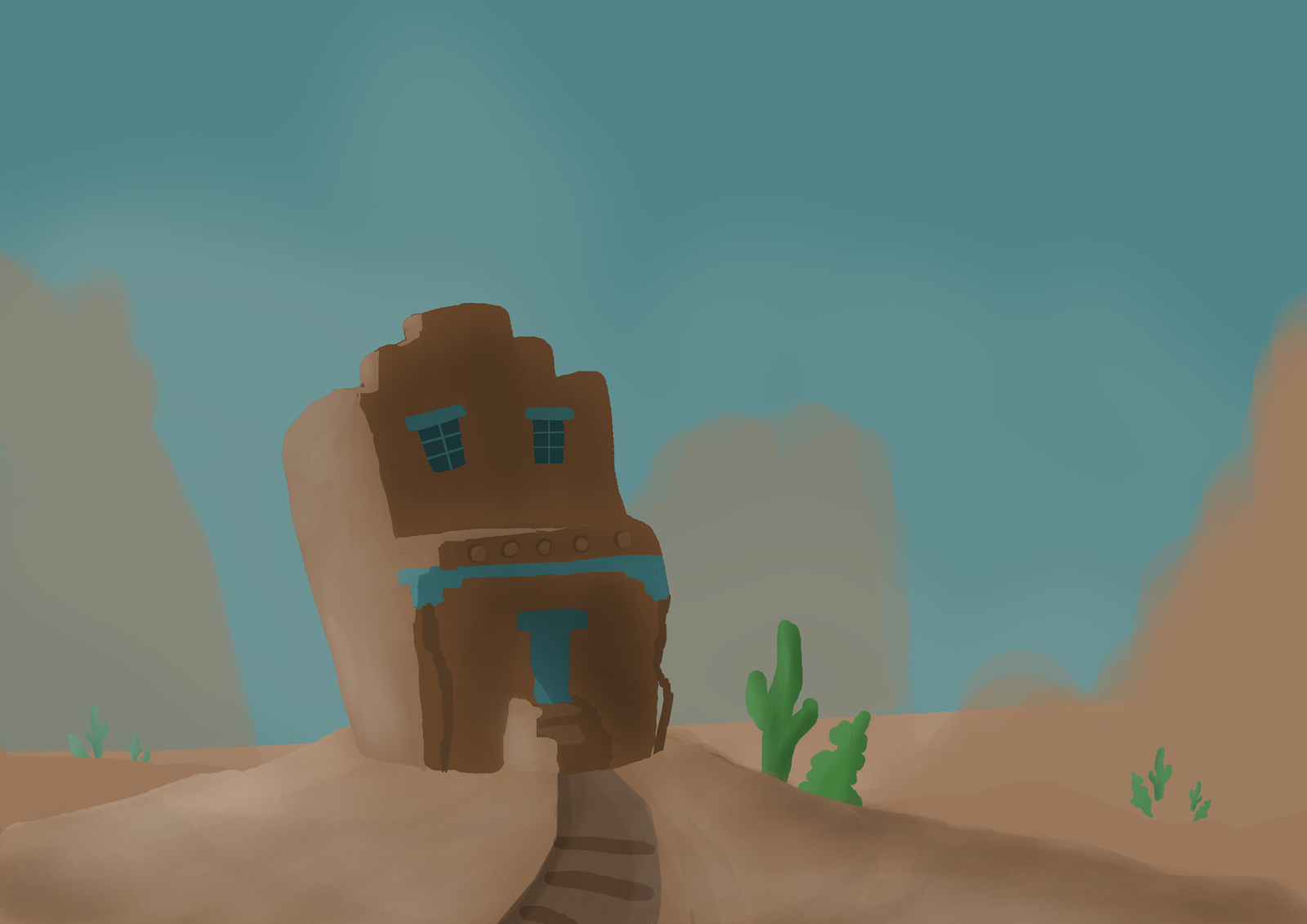
For visual arts we were tasked with doing a speed paint drawing of a house image to test out composition. Below is  the image we had to copy, while even further down is my terrible attempt at it. 

Original drawing. 


And here is my attempt at the image.


Sunday, 10 April 2016

Visual Arts, Tree with character

For Visual Arts we were tasked with drawing a Tree with character. Not character as in life like, but as in it game off some sort of setting.

For my tree I decided to draw something dark, brooding and spooky. Like something out of the plaugelands from World of Warcraft. 

2Spooky4me


Also, looking at real life examples I drew more inspiration for the drawing itself.


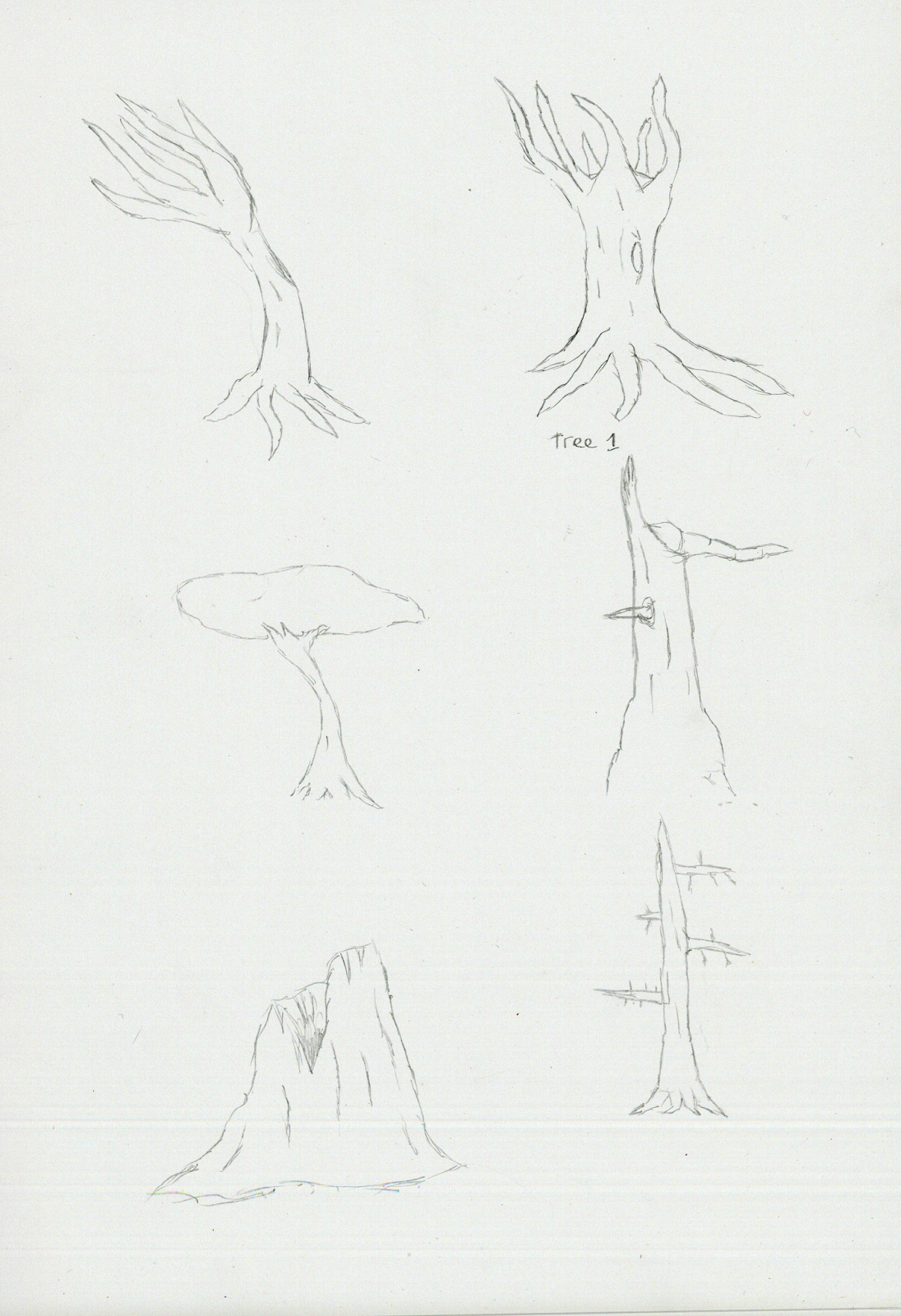
I drew some concepts of trees I could use on paper, before choosing the final tree for the Photoshop design.


This is the tree I ended up with, I wanted the main colour to be green, so, I made most of the colors in the image green. Didn't see that coming.

Another landscape drawing, because landscape drawings are love. 
Looking back at the drawing I think it could be improved more, but honestly I'm not sure how. 

Thursday, 7 April 2016

Greybox, Final Post

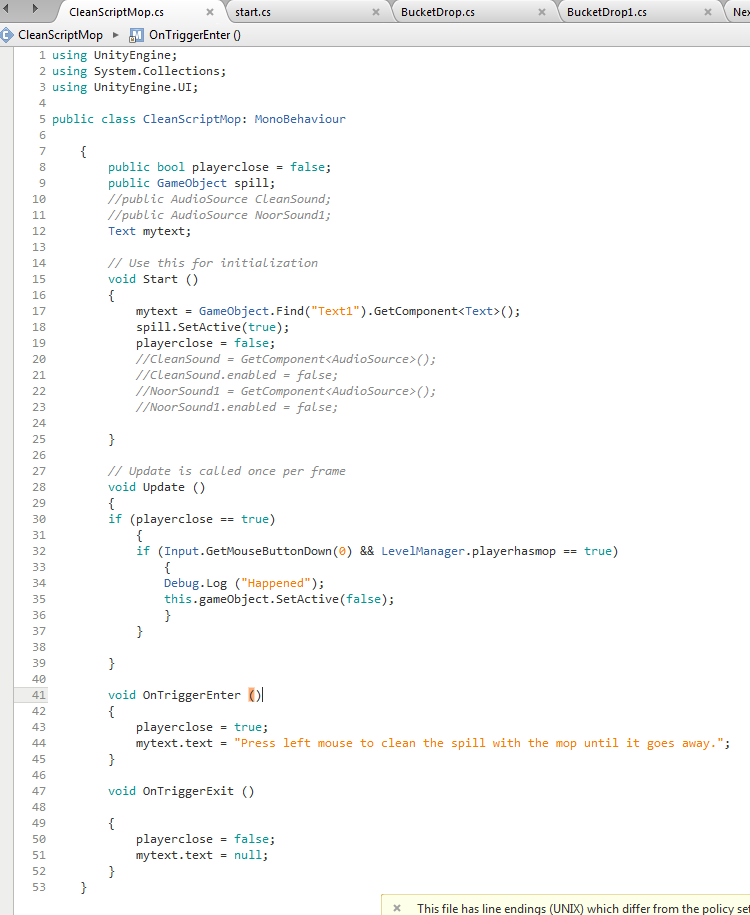
For the final iteration of my game, I made major changes. For example the game now had code that enabled the player to pick up a cart and place it down at the required spot. The player was also able to take a mop out of the bucket and use it on spills on the floor. 

Code that allows the player to clean spills as long as he has a mop. 
I was also able to make a script that spawns new spills with a sound effect once three spills are cleaned up.


I have to say I was quite pleased with the outcome, I managed to make cool script functions that allowed the player to progress though the level. 

2D game assignment Dev Blog - Last Week

And so we enter endgame. 


Well things didn't go as planned with the group project. Ray and Warren were both missing, presumed vanished off of the face of the earth, and Paris was unable to do work. Irina also made platforms for the game to put into the levels.

At the moment all we had were two levels, and a whole lot of code, that even though completed, would never reach It's true potential. For example, the jump pad script that was made, to enable the player to get to hidden areas, would be useless in the current build.
The guns would almost be pointless as we had no way of making then drop from enemies at the time. 

However there was one script that was useful to the game in It's current state. I recently made a wall jumping, that does exactly what the script is named, allows the player to jump on walls. Cool right? Yes. Very. 

I mean I was pretty proud with the code, being able to do a game mechanic that I enjoyed using in games such as Ratchet and Clank. 

To be honest I was quite proud of myself with the wall jump script, It was incredibly fun to do in game once the values were tweaked.
For the script I had to add lines of code into the main Player script, allowing the game to detect walls and for the player to slide on them and jump from them. 

Here is a snippit of said code.

Irina also made some level layers for a game level by splicing up concept art that Warren made in the early stages of the game.


Friday, 1 April 2016

Beep Boop

Found a cool swamp like area while I was taking a break playing Fallout 4, the area inspired me to make some concept art out of it.


The swamp like area from above, exploring it was really immersive. 


I actually made a gif of my progress this time, It's quite cool to see how far I came from when I first started. 


At first I wasn't quite sure what to draw along with the swamp, but I decided to draw one of the Protecterons in the game, which by far are my favorite robot design. 


First I started with the robot drawing by copying images that were already in the game, after that I then enlarged the canvas. 


After this was done I played around with the colors of the scene in the background, ground and an outline of potential clouds were added. I also made custom brushes for this drawing by cutting out trees that I took screenshots of in game. Lighting was also added to the robot by using the burn and dodge tool.


Next the position and size of the robot was changed, along with the lighting. Also clouds and a background was added into the scene.


Also more foliage was added to the foreground, and more dead trees.


Still unhappy with the lighting on the robot I changed it again to make the photo have a more darker tone, glow was also added to the light on the robot. Moss and branches were added in too.


Now we add more trees yet again, move the mountain in the background, and add rain to the scene. Shadows on the robot were also improved to help give it shape, along with wires were its arm used to be.


Tone down the rain a tiiiny bit, also add some fog to the scene for extra spookyness. Rain splashes were added to the robot and the floor in the scene.


More branches and stuff.


Fog improvements, as well as the ground being changed to make it look more like a swamp.


Wetness effect added to the robot to make it look like it was actually in the rain.


Final Image. More wetness effects added to the image, shininess was also added too.


2D game assignment Dev Blog - Week 8


Follow me into a magical adventure of code 


So this week something cool was made, hand to hand combat. And when I say hand to hand combat I actually mean a trigger that spawns in front of the player when a key is pressed. This magical trigger takes damage off of enemies if they are in the trigger box when it is activated then 10 points of health are taken off them. Or whatever number I assign. At the moment I have exactly the same number of health points assigned to the trigger, so it's pretty much instakill for whatever is caught in it. 
I did this mainly because it will make the gameplay fast, and hopefully fun. Also because mashing the same button to kill someone is tedious. 

Press F to punch someone.


Thanks to the help of Ewan we were able to implement a cool system that stops the player from melee attacking while he had a gun. Pretty much the level manager is called and says whether the player has a gun or not. If player.hasgun == true; then he can't punch people. 

Paris managed to get some low frame animations made for the game, including a run animation that don't fully loop and other animations that are a different color.

The run sprite sheet, which is pretty much indistinguishable from the background. 


The jump animation.

Ray also turned after ages of absence, and reported his astounding progress of two icons, despite the fact that I set him the the task five weeks ago. A few days after our meeting he completed the full set of icons, with transparent backgrounds that allowed them to be put into the game.


Weapon icons

We also got a proper health bar set up, which now works with the already working health system. 


As you can see there a four states that indicate health, unsurprisingly the empty and red health bar indicates that the player is dead.


Irina also completed the weapon designs for the game's guns, so now we actually had our own weapons, instead of just using placeholder images.


The great thing about unity is that you can change the color of a sprite, so we could change the gun's colors to match the level.